Intro
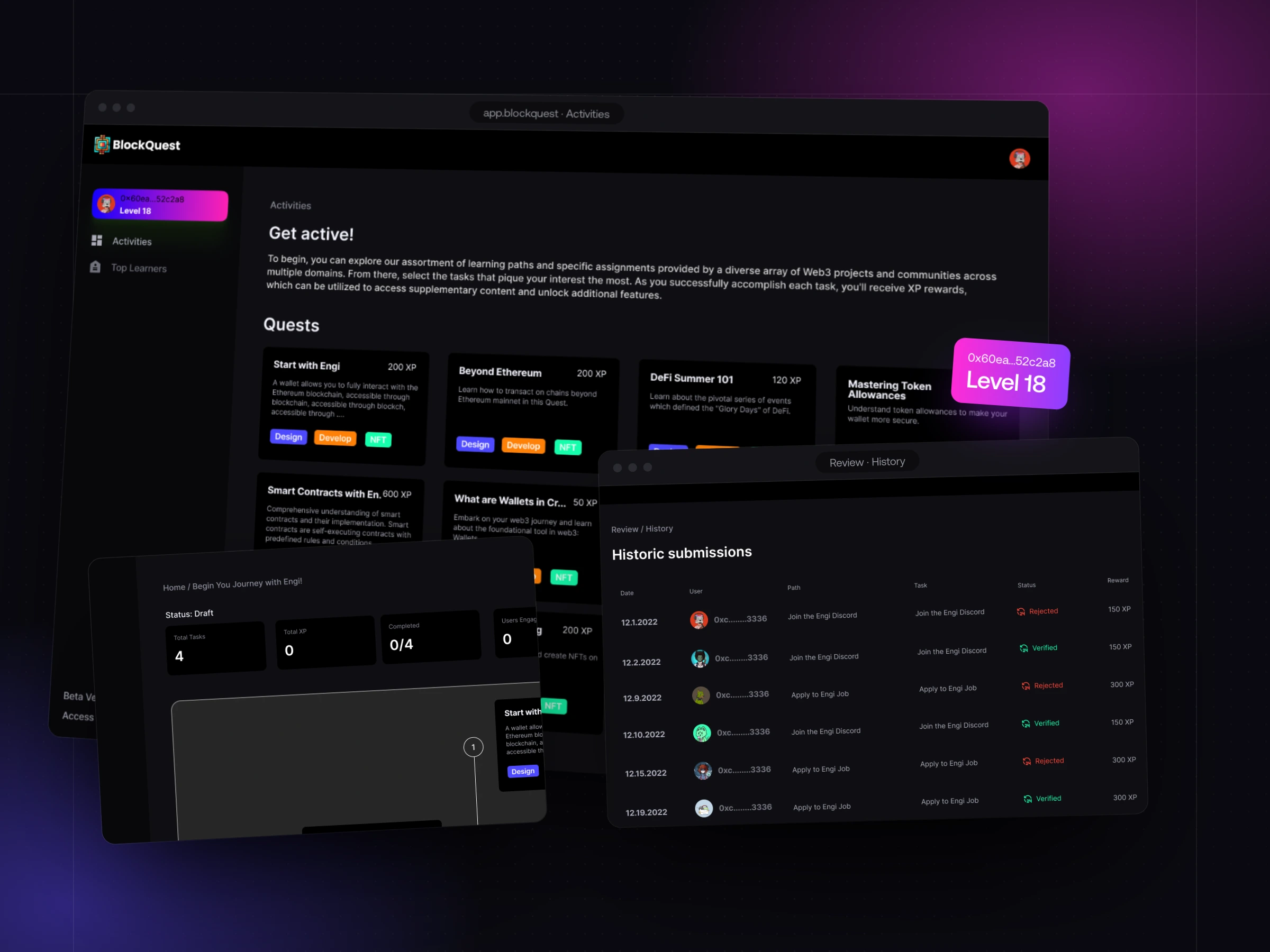
BlockQuest is a learn-to-earn platform for Web3. Communities — protocols, DAOs, NFT projects — publish learning paths made of quests; learners complete them, submit proof, and earn XP and levels when the community verifies their work.
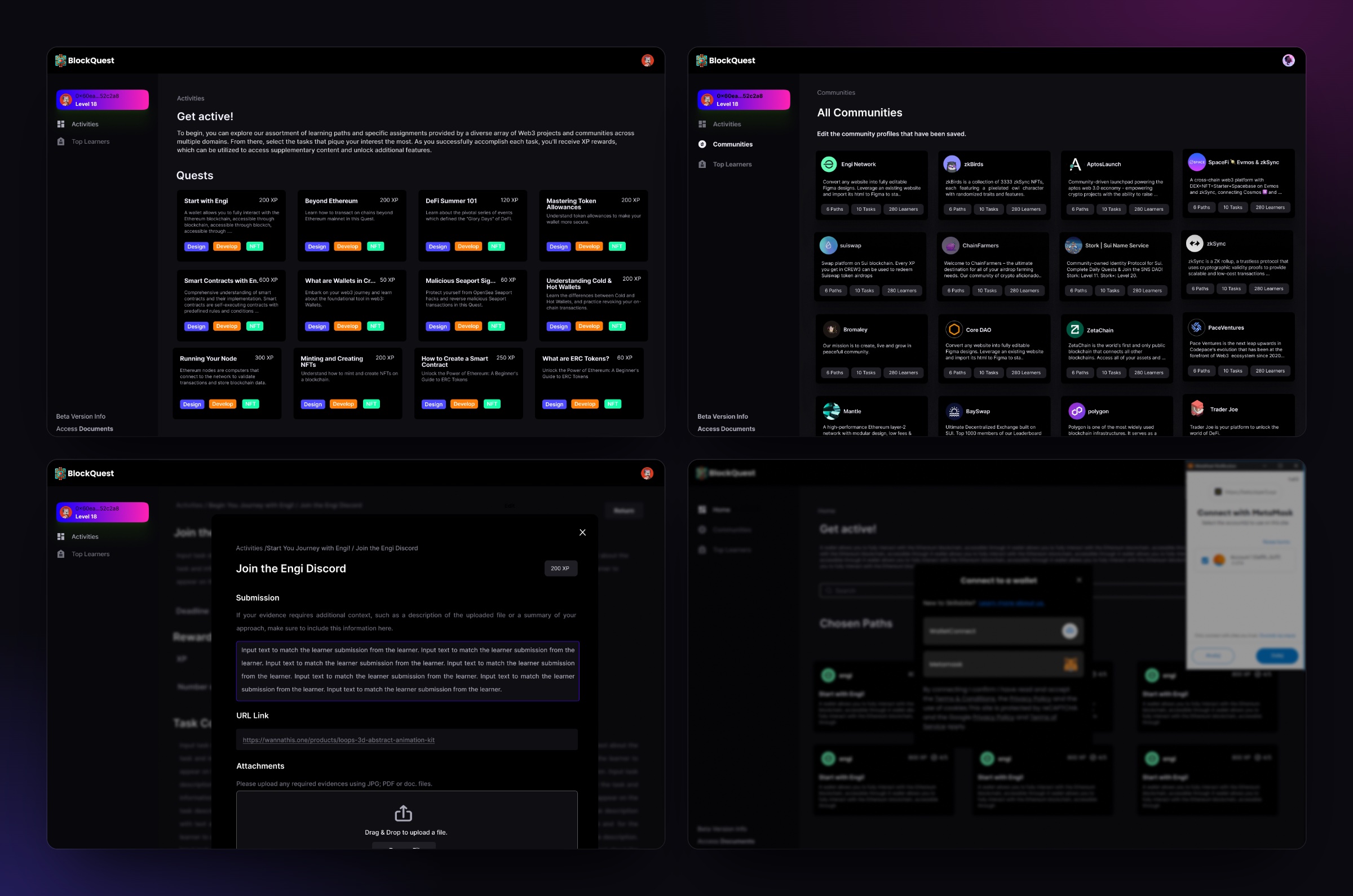
We designed the whole product: the learner app, where people find quests and submit their work, and the creator console, where communities build paths and review what comes in.
What the product covers:
- A learner app: quests, communities, levels and a leaderboard
- A creator console: paths from draft to publish, with live stats
- A review queue with full history — every submission verified or rejected
Meet BlockQuest
Web3 projects spend heavily on getting people to try their product and then lose them within days. BlockQuest's bet was that people who learn a product stay with it — so the platform rewards finishing real tasks, not just showing up.
Each community gets a profile with its paths, tasks and learners. Each learner gets one wallet-based identity, with XP and a level that follow them from one community to the next.
The challenge we tackled
Learning, not clicking
Quests had to ask for real work — a summary, a link to what you built, a file — while staying quick enough to finish in one sitting.
Review at scale
Every submission needs a human decision. Community teams needed to verify or reject in seconds, and see everything a learner has sent before.
Two users, one product
Learners and community teams look at the same quests from opposite sides. Each needed its own app, built from the same parts.
Wallet-first identity
Learners sign in with a wallet, not an email. Connecting had to feel safe and obvious to people who are new to crypto.
Our approach
01Design the loop first
Quest, submission, review, reward. We mapped who does what at each step — and which screen they're on — before drawing either app.
02One system, two apps
Quest cards, XP chips, tags and status pills are shared components. The learner app shows them as things to do; the creator console shows the same objects as things to manage.
03Make evidence easy to judge
Submissions put the learner, their level and total XP next to what they sent — text, a link, attachments — so a reviewer decides without leaving the screen.
We designed the review queue before the quest cards. If verifying one submission takes a community a minute, the whole model breaks — so that screen set the pace for everything else.
 Maks MiśkowFounder, Pace LabsPace Labs
The quest loop
Every part of the product serves one loop. Communities publish, learners do the work, the community verifies it — and both sides end up with something they value.
Communities · learners · review
Communities
Users who actually learned the product — tracked per path and per task.
Learners
XP, levels and a public record of what they can do, across communities.
Review queue
Every submission with its evidence, decided once and kept in history.
- Communities → Learners · Paths & quests with XP
- Learners → Review queue · Text, links, files
- Review queue → Learners · Verified → XP & level
- Review queue → Communities · Engaged, verified users
Rejections are part of the loop too: a rejected task goes back to the learner with its history, instead of disappearing.
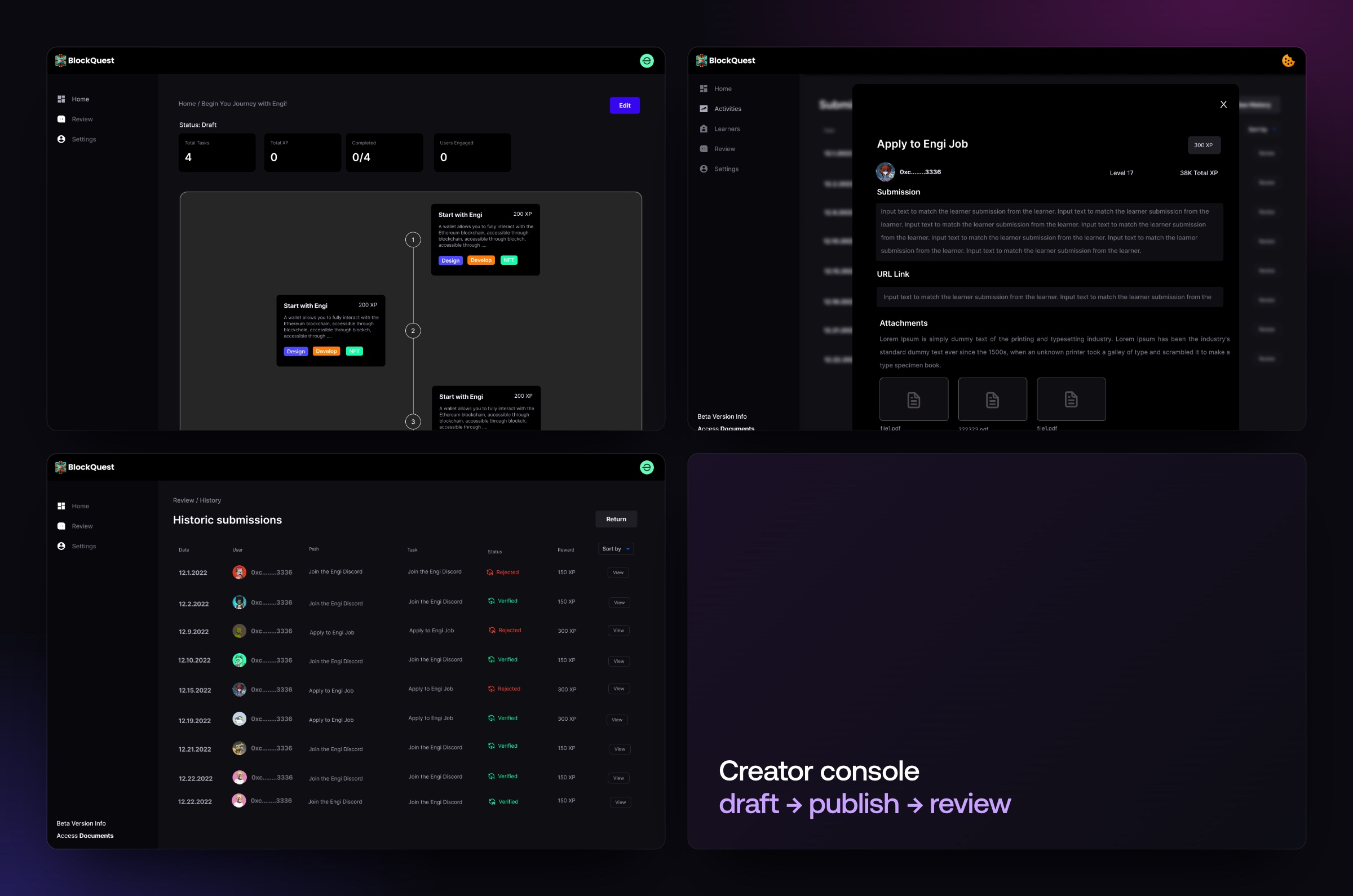
Two apps, one quest
The same quest, seen from both sides of the product.
Learner app
Pick, do, prove, level up
- 1Connect a walletWalletConnect or MetaMask
- 2Pick a questBy community, with its XP
- 3Submit the workText, a URL or files
- 4Earn XPLevels and Top Learners
Creator console
Build, publish, review
- 1Build a pathOrdered tasks with XP
- 2PublishDraft → live, with stats
- 3Review submissionsVerify or reject in one view
- 4Track learnersCompletion, XP, history
Planning something similar? Let's talk it through.
Maks MiśkowFounder, Pace LabsThe results
BlockQuest came out of the design phase with a complete product: both apps, one shared system, and a review flow built for volume.
- Apps designed end to end — learner and creator
- 2
- Shared component system across both apps
- 1
- Live stats per path: tasks, XP, completion, users
- 4
- Kinds of evidence a quest can ask for
- 3
- Review outcomes, both kept in history
- 2
- Wallet-based identity with XP and levels
- 1
Summary
The product is built around the one moment that makes learn-to-earn honest: a community looking at real work and deciding. Everything else — quests, XP, levels — exists to get people to that moment.
Designing both apps from one set of components means the creator console and the learner app never disagree about what a quest, a task or a submission is.