Intro
Edgeframe is a crypto trading education brand led by full-time traders. Its promise is practical: learn to find opportunities, manage risk and secure your funds, then trade on your own — or with a prefunded account from one of its partners.
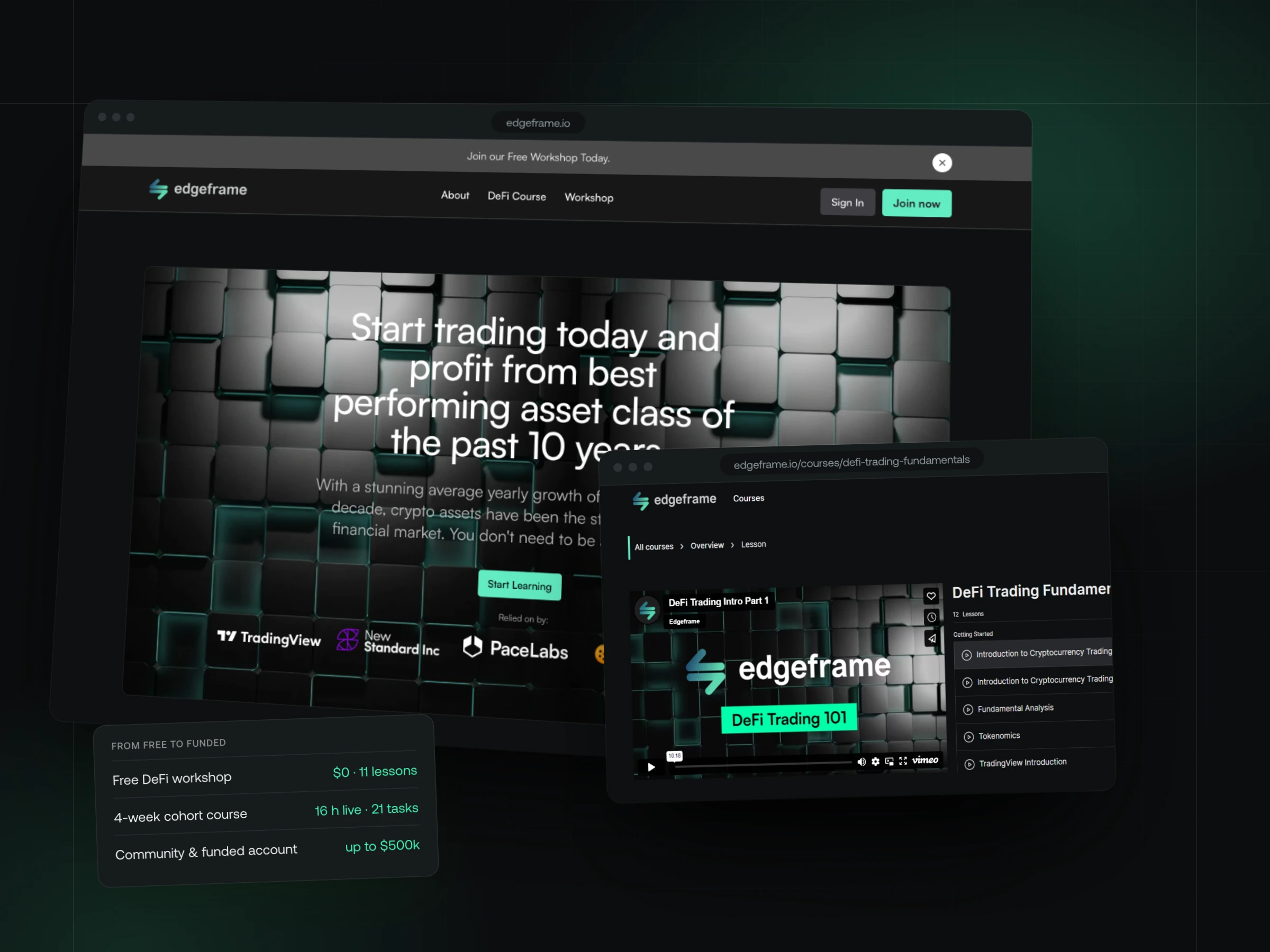
We worked with Edgeframe twice. First a one-page Framer site in 2022 to test the offer and grow a Discord community; then, once people were asking for structured learning, the members app in Webflow — the product learners sign into every week.
What the app does:
- Accounts with email or four social logins, and members-only lessons
- Learning paths, course pages with progress, and a video lesson player
- A four-week cohort with live sessions, assignments and a certificate
Meet Edgeframe
Edgeframe's educators have traded crypto since before DeFi had a name. Their main instructor, Mattheu Draper, is a full-time trader who teaches through live sessions, a Discord community and structured courses.
The audience ranges from complete beginners to people already trading on their own — so the product has to welcome both, and always show each of them the next step.
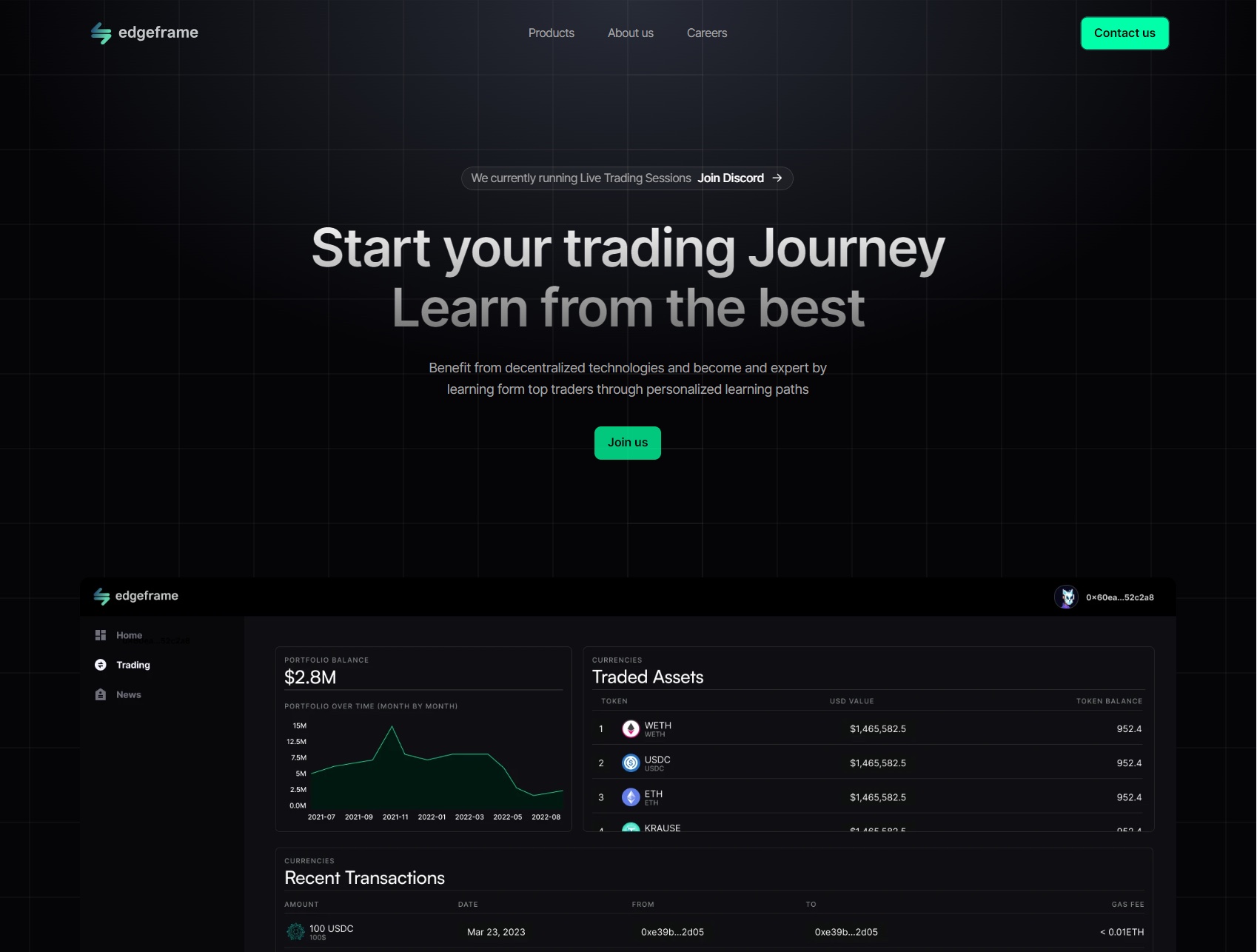
The challenge we tackled
Three products, one learner
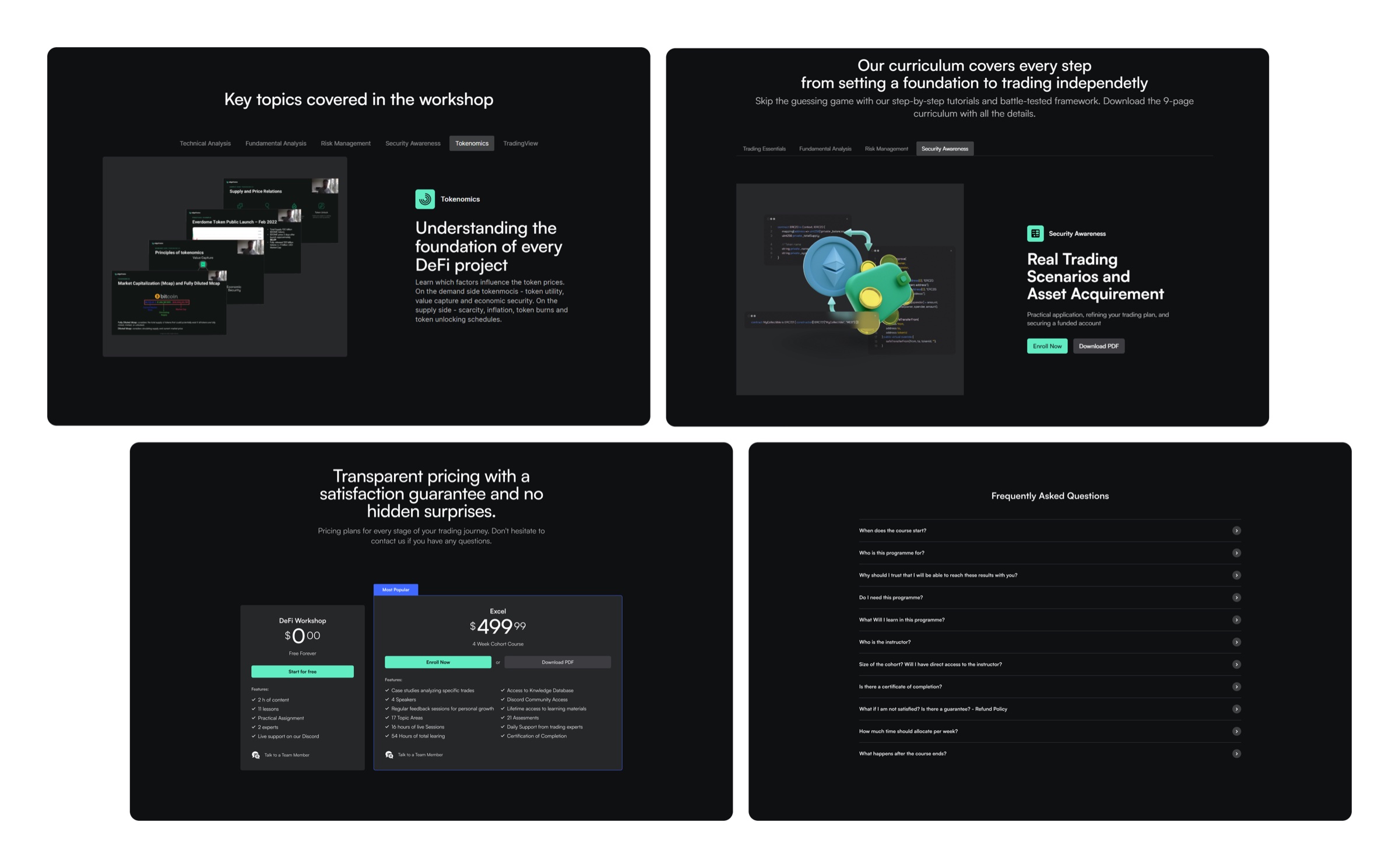
A free workshop, a $499.99 four-week cohort and self-paced courses each make a different promise. They had to feel like one school, with one account.
Never lose your place
Traders learn in short gaps between sessions. The app had to show where you are in a course, what you've finished and what comes next — on every screen.
Content the team can run
Courses, lessons and cohort dates change all the time. The team needed to publish them without a developer.
Members-only, without a custom LMS
Lessons had to sit behind a login with progress per learner — without the cost and risk of building a learning management system.
I wanted a platform, not a landing page with a Discord link. Now the workshop, the cohort and the courses sit behind one login — and I can publish a lesson myself between trades.
 Mattheu DraperMain Instructor, EdgeframeEdgeframe
Draft quote · awaiting client sign-off
Our approach
01Test the offer with v1
In 2022 a one-page Framer site introduced the idea — learn from traders who do this full time — and sent people to live sessions on Discord. It proved there was demand for structured learning.
02Design the learning system
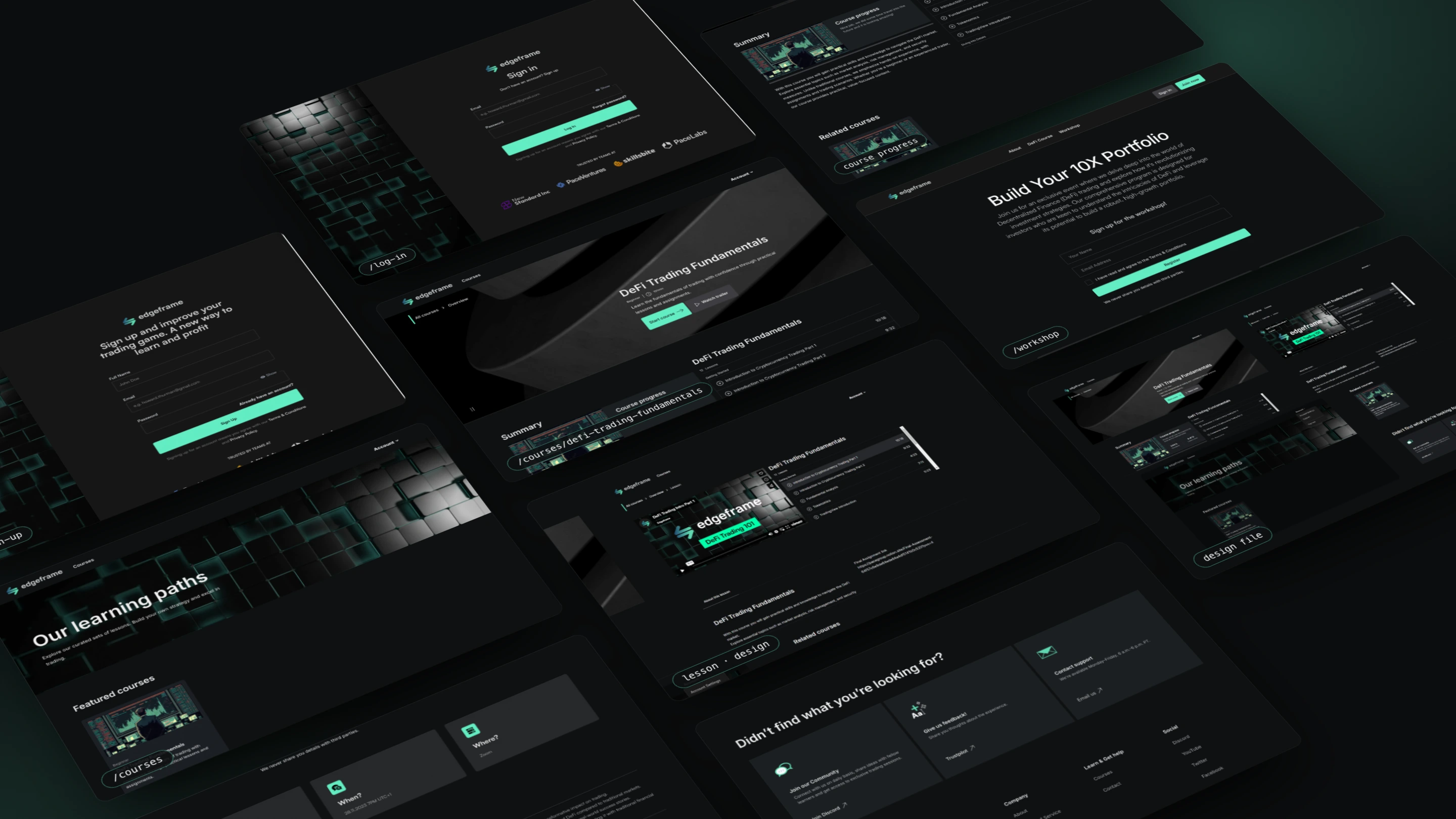
Learning paths lead to courses, courses to modules and lessons, lessons to assignments. A dark interface built on Edgeframe's cube motif, with its mint green reserved for progress and the next step.
03Build on tools the team can run
Courses and lessons are Webflow CMS collections, Memberstack handles accounts and members-only pages, Vimeo streams the video, Notion holds the assignment briefs. The team adds a lesson the way it writes a blog post.
04One path from free to paid
The free Zoom workshop, the self-paced course and the paid cohort share one account, so a workshop attendee is one click from enrolling.
We didn't build an LMS. We designed the handful of screens a learner actually uses — a path, a course, a lesson, an assignment — and let Webflow, Memberstack and Vimeo do the heavy lifting.
 Maks MiśkowFounder, Pace LabsPace Labs
Inside the app
The members app is Edgeframe's actual product. Below, screens captured from the live Webflow build sit next to screens we recreated in code — the lesson player from the designs, plus concept screens for the learner home, the cohort plan and assignment reviews, built from the course's real lessons and the cohort's published curriculum.

Feature by feature
Nine features, from signing up to a certificate. Screens marked “live build” are captured from the Webflow site; the rest are recreated in code — from the designs, or as concepts built on the product's real data.
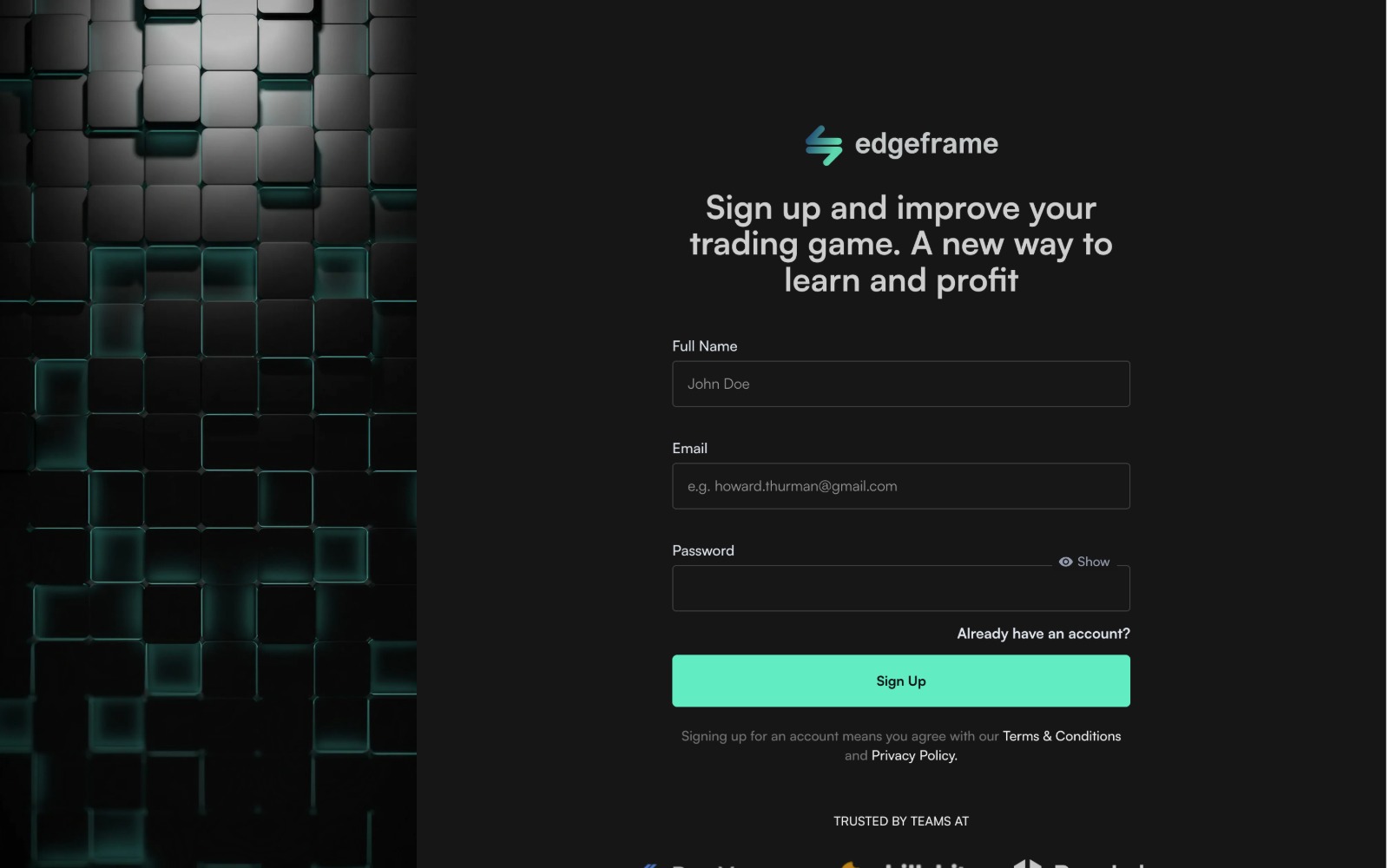
Live build
Accounts in one step
Memberstack runs accounts inside Webflow: email and password, or one click with a social login. Every lesson page checks membership before it shows anything.
- Email sign-up, or Google, Facebook, GitHub and LinkedIn
- Password reset and account settings without custom code
- Lessons and cohort pages are members-only
Under the hood
Each part of the app is a tool the team already knows how to run, joined into one site and one learner account.
What runs the academy
Webflow CMS
Courses, lessons, cohorts and the blog as collections
Memberstack
Accounts, social logins, members-only pages, progress
Vimeo
Lesson video, streamed and embedded
Notion
Assignment briefs and the final assessment
Discord
Community, live trading sessions, daily support
Zoom
The free live workshop
Trustpilot
Learner feedback
Edgeframe team
Publishes lessons and runs cohorts from the CMS
No custom backend: every job goes to a tool built for it, and Webflow ties them into one site with one login. Nothing here needs a developer to run day to day.
Two versions, one year apart
The app exists because the first site worked. v1 was built to learn what people wanted; v2 was built to sell and deliver it.
- 01
2022 · v1 in Framer
- One page: the offer and the traders behind it
- Live trading sessions on Discord
- A dashboard concept for the future product
- 02
2023 · App in Webflow
- Free workshop, cohort and self-paced courses
- Memberstack accounts, members-only lessons, progress
- Courses and cohorts run from the CMS
The learner's path
Every page points to the next step, from a free taster to trading independently — and inside a course, every lesson points to the next one.
From free to funded
One school, four steps
- 1Free DeFi workshopLive on Zoom · 11 lessons · 2 experts
- 2Four-week cohort16 h live · 21 assignments
- 3Self-paced coursesLearning paths, lifetime access
- 4Community & capitalDiscord · funded accounts up to $500k
Inside a course
Always a next lesson
- 1Learning pathsCurated sets of courses
- 2Course overviewProgress: lessons done of 12
- 3LessonVimeo video + lesson list
- 4AssignmentBrief in Notion, reviewed by a mentor
Planning something similar? Let's talk it through.
Maks MiśkowFounder, Pace LabsThe results
Edgeframe went from a one-page site to a school with an app: three learning products behind one account, and a content model the team runs on its own.
- Learning products behind one login
- 3
- Video lessons in the first course, in two modules
- 12
- Of lesson video — under nine minutes per lesson
- 1 h 45
- Of learning in the cohort, 16 of them live
- 54 h
- Ways to sign in: email plus four social logins
- 5
- Developers needed to publish a new lesson
- 0
DeFi Trading Fundamentals · every lesson
12 lessons · 1 h 45 min
Average 8 min 47 s per lesson
01Getting Started5 lessons · 36 min 47 s
- Introduction to Cryptocurrency Trading, Part 1
- 10:18
- Introduction to Cryptocurrency Trading, Part 2
- 9:32
- Fundamental Analysis
- 4:23
- Tokenomics
- 7:11
- TradingView Introduction
- 5:23
02Diving Into Details7 lessons · 1 h 8 min
- Technical Analysis Introduction
- 10:18
- Technical Analysis Advanced, Part 1
- 12:26
- Technical Analysis Advanced, Part 2
- 16:08
- Risk Management, Part 1
- 7:21
- Risk Management, Part 2
- 6:39
- Security
- 10:19
- Maximizing Your Trading Journey
- 5:23
Summary
Small first, then structured: the Framer site proved the demand, and the app was designed around what those first learners asked for.
By leaning on Webflow, Memberstack and Vimeo instead of a custom LMS, Edgeframe got accounts, members-only lessons and progress tracking without paying for a custom build — and kept full control of its content.